
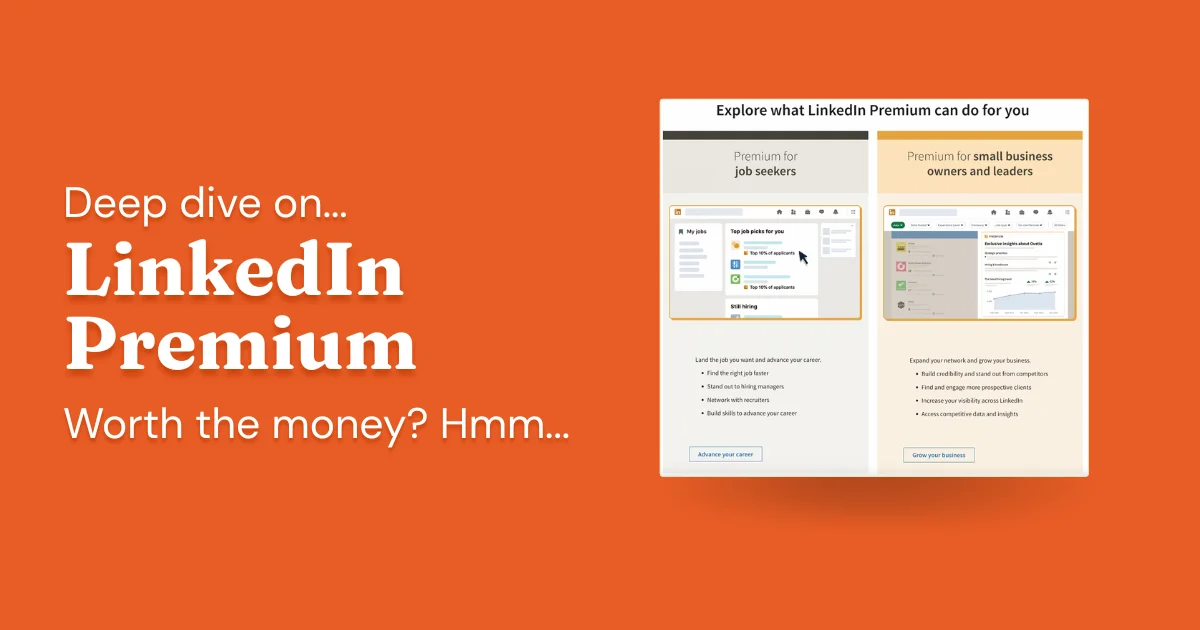
The short version: if you work in sales or consulting, either Premium Business or Sales Navigator Core is worth paying for. I'm not a neutral observer here; I've spent years using LinkedIn professionally, built multiple seven-figure B2B businesses through it, and coached founders and sales teams on how to use it effectively.
For active job seekers targeting hiring managers, Premium Career is worth a short-term investment. Set a reminder to cancel once you've accepted an offer.
The Company Page plan is harder to recommend. Page content consistently gets lower organic reach than personal profiles, and it's not yet clear whether building a page following generates enough pipeline to justify the cost. The exception is large organizations where page growth is a strategic priority on its own terms.
- For B2B sales professionals, Premium Business or Sales Navigator Core is worth it; the search and InMail features alone pay for themselves
- Job seekers: use the free trial, but cancel once you've landed a role
- Unlimited filtered people searches is the single most valuable feature for prospecting
- The Business Page plan is still a questionable investment; hold off unless you're managing a large corporate presence
When LinkedIn Premium Is Worth the Money (and When It Isn't)
LinkedIn sits in an unusual market position: it's a professional network that also functions as a job marketplace and a content platform, but content publishing isn't the core activity the way it is on YouTube or Instagram. This positioning shapes its monetization strategy; most of the platform's revenue comes from selling upgraded access, whether that's the Career tier for job seekers or the Business tier for sales and marketing professionals.
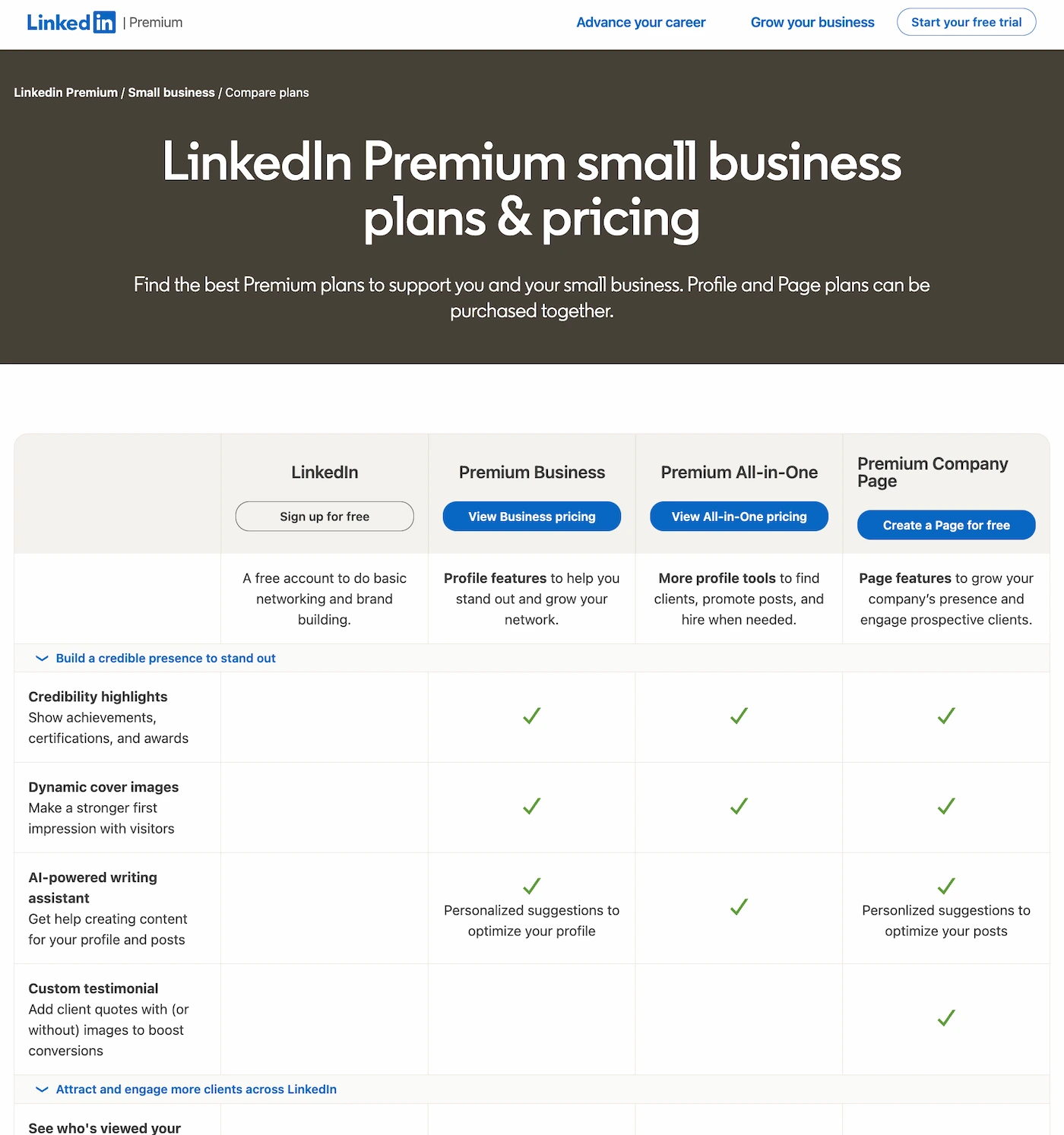
The plan split reflects two audiences with distinct goals: professionals building B2B pipelines through sales or consulting, and individuals navigating a job search or career transition. LinkedIn's dual role as both talent marketplace and professional network lets it serve both groups through the same subscription model.
What LinkedIn Premium Adds Over the Free Plan
- Broader profile access: The free plan limits how many profiles you can view and caps search results. Premium removes most of these restrictions, so you can browse and build lists without hitting walls
- Direct outreach: InMail lets you message people outside your network without a shared connection first. Free accounts get a very limited monthly allocation; paid plans give you enough to run a real outreach workflow
- Profile intelligence: Free accounts see only the last five profile visitors; Premium shows the full list for the past year, with names and titles. Job seekers also get a competitive ranking showing how they stack up against other applicants for specific roles
- Skill development: LinkedIn Learning is bundled with Premium and covers a wide curriculum, from technical tools and software to leadership and communication. The course quality is generally solid compared to standalone alternatives
- Search and discoverability: Advanced search filters let you find and segment people by industry, seniority, company size, and geography. The Open Profile setting also lets anyone reach you directly, which matters if you're trying to build inbound interest
For professionals whose target audience, whether hiring managers or prospective clients, is active on LinkedIn, Premium tends to pay for itself fairly quickly. The key qualifier is that your buyers or recruiters actually need to be spending time on the platform for the upgrade to be compelling.
LinkedIn Premium for B2B Sales: Yes.
B2B sales is where LinkedIn Premium has the clearest ROI. I've used Sales Navigator personally for years, and the prospecting workflow it enables is genuinely difficult to replicate elsewhere.
Two capabilities drive most of the value:
- Profile visitor data: knowing which prospects or hiring managers have been checking you out creates a natural opening for outreach
- Unlimited filtered searches: build precise lists of prospects by title, company, industry, geography, and seniority with no monthly search cap
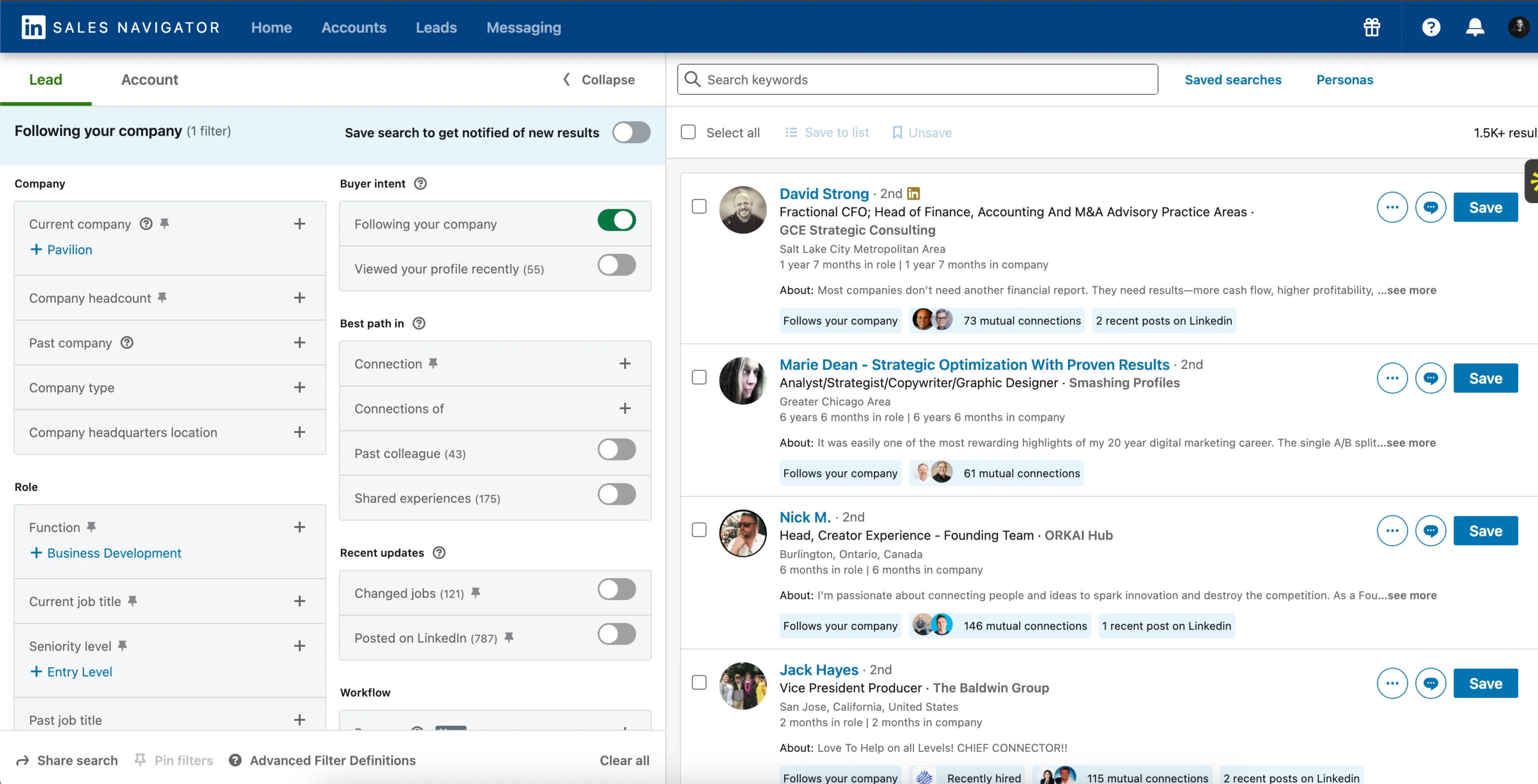
Both Business and Sales Navigator plans give you search and InMail. Sales Navigator adds on top: saved leads, smart alerts, and CRM sync options. If your workflow requires those extras, it's worth the step up. If not, Business delivers the core value at a lower price point.
On Sales Navigator Advanced: Designed for team-based sales operations, with shared lead lists, TeamLink visibility into which colleagues know which prospects, and tighter CRM sync. If you're a solo practitioner or a small founding team, most of those capabilities will go unused. Sales Navigator Core is the right starting point for individuals and covers the features that actually drive pipeline.
Notable LinkedIn Premium Features
InMail Credits
InMail credits let you send a message to any LinkedIn member without being connected first. The practical value: you can reach hiring managers, potential clients, or collaborators directly, without needing a warm introduction or waiting for a connection request to be accepted. Each paid plan tier includes a different monthly credit allowance.
Who's Viewed Your Profile
See exactly who has viewed your profile over the last 365 days, including their job title and company. On the free plan you only get a limited, blurred-out preview. This full view is one of the most actionable signals you have for identifying warm leads and reaching back out at the right moment.
LinkedIn Learning Courses
LinkedIn Learning is bundled into every Premium subscription and covers a broad curriculum: technical skills, software tools, management, communication, and more. The content quality is generally competitive with other paid learning platforms, and the certificates carry some recognition in professional circles. Whether it's worth the subscription on its own depends on how frequently you'd actually use it.
Unlimited Filtered Search: The Feature That Pays for Itself 🔥
The free version of LinkedIn caps how many searches heavy users can run each month. Premium removes this entirely. You can filter by industry, job title, company size, geography, seniority level, and build precise lists of exactly the people you want to reach. For anyone doing prospecting at any scale, this alone justifies the subscription. (If you want to understand the full range of what's available in free search before upgrading, see our guide to LinkedIn People Search filters and Boolean operators.)
LinkedIn Premium Pricing: All Plans Compared
Most Premium plans represent a meaningful monthly commitment, so the math only works if you're actively using the features. For job seekers it makes sense as a short-term tool: pay while you're searching, cancel when you've accepted an offer. For sales professionals, the question is whether the leads you close through it cover the cost; for most people doing consistent prospecting, they do.
| Plan | Monthly Cost (USD) | Best for |
|---|---|---|
| Free (Basic) | $0 | Casual users, students, light networkers |
| Premium Career | $29.99/mo or $239.88/yr | Job seekers wanting more visibility & InMails |
| LinkedIn Learning | $29.99/mo or $239.88/yr | Individuals focused on skills training & courses |
| Premium Business | $59.99/mo or $575.88/yr | Small-business professionals & network builders |
| Sales Navigator Core | $119.99/mo or $1,079.88/yr | Sales reps & solopreneurs generating leads |
| Sales Navigator Advanced | $159.99/mo or $1,799.88/yr | Sales teams needing collaboration & reporting |
| Sales Navigator Advanced Plus | Custom / enterprise | Large sales orgs needing CRM sync & automation |
| Recruiter Lite | ~$170/mo | Individual recruiters or small HR teams |
| Recruiter (Corporate) | ~$900/mo per seat | Staffing firms or enterprise HR departments |
The higher tiers represent a real monthly commitment. One useful way to frame it: a single closed deal sourced through Sales Navigator's filtered search typically covers multiple months of the subscription.
FAQs About LinkedIn Premium
LinkedIn has more plan variants than most people realize (Career, Business, Pages, Sales Navigator Core, Advanced, Recruiter Lite, Recruiter Corporate), so here are the questions that come up most often.
Can You See Who Looked at Your LinkedIn Profile?
Yes. Any paid LinkedIn plan gives you a complete 12-month view of who's visited your profile, with each visitor's name, title, and company. Free accounts see only five recent viewers, often with limited detail on anonymous visits. For salespeople and consultants, the full list is a useful source of warm outreach opportunities.
Is There a Free Trial for LinkedIn Premium?
LinkedIn runs periodic free trial promotions, typically one month for new subscribers. After the trial, a paid subscription kicks in automatically, so set a calendar reminder if you're not sure you want to continue. Canceling before the trial expires avoids any charge.
Will LinkedIn Premium Help Me Get a Job?
Premium Career adds some concrete advantages for job seekers: InMail credits to contact recruiters directly, a view of how you rank among other applicants for specific roles, and expanded visibility into who's been looking at your profile. None of that substitutes for a strong profile and an active engagement strategy, but it can make the process more targeted and less passive.
Is LinkedIn Premium Useful for Content Creators and Marketers?
Yes, though the impact depends on how you use it. Profile visibility data tells you what companies and roles are engaging with your content. InMail lets you act on that data by reaching out to collaborators, clients, or sponsors directly. LinkedIn Learning can help you sharpen the skills behind your content strategy. The combination is useful; the key is having a content strategy in place to generate that signal in the first place. Paired with a solid approach to growing impressions, it gives you a meaningful edge.
Which LinkedIn Plans Sync With Your CRM?
Sales Navigator Advanced Plus (the enterprise tier) includes full CRM sync with Salesforce and Microsoft Dynamics. The lower-tier Sales Navigator plans have limited native CRM connectivity. If you want to capture LinkedIn activity like connection requests, messages, and reactions in your CRM, you'll generally need a third-party integration tool in addition to Sales Navigator.
Understand what's working on your LinkedIn
DemandBird helps B2B teams grow their social media presence, without the guesswork.
Start Free Trial