
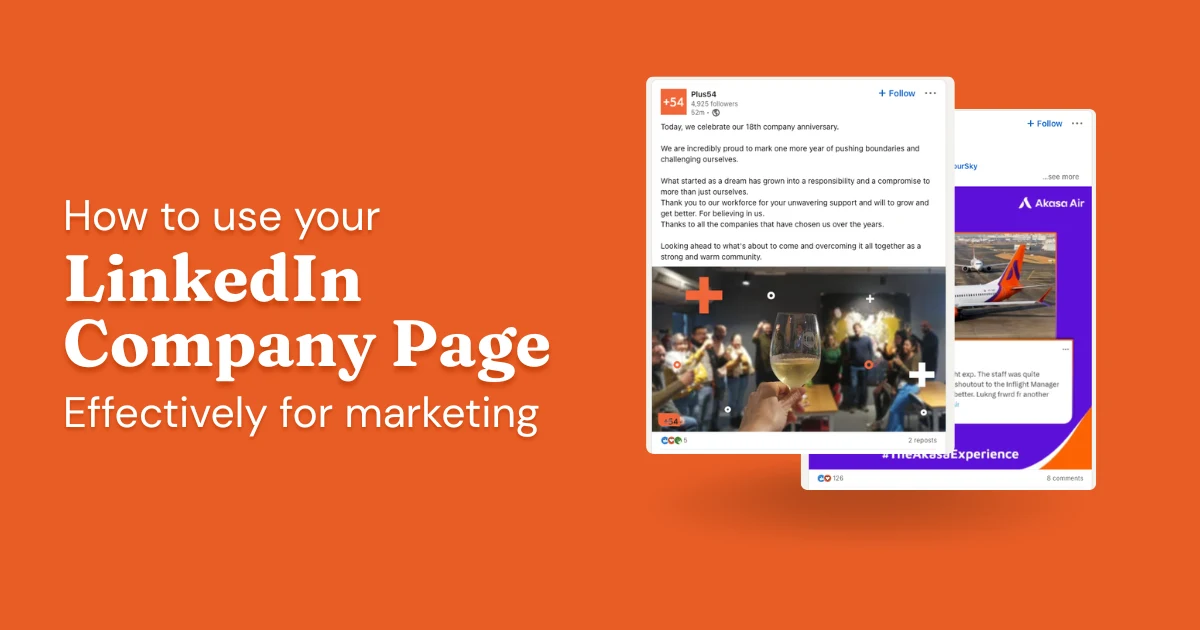
A LinkedIn Company Page (also called a LinkedIn business page) is a dedicated profile for an organization on LinkedIn. Unlike a personal profile, which represents an individual, a Company Page represents the business itself, giving it a public presence on the platform where potential customers, employees, partners, and investors can find and follow it.
A Company Page can do real work for a business. But most of them sit idle, posting the occasional product announcement to an audience that stopped paying attention months ago.
If you want to build a real brand presence on LinkedIn, attract followers who actually care, and use the page to drive goals like lead generation and recruiting, there's a right way to approach it. This guide covers how to create a page, how to optimize it, what to post, and why it's worth your time.
- Creating a Company Page takes about five minutes. Getting it to actually perform takes deliberate work on your description, visuals, and posting cadence.
- Post at least once a week to maintain visibility. Brands that grow consistently tend to post three to five times per week.
- The best-performing Company Page content is specific and visual, and gives followers a reason to stop, not just scroll past.
- Employee involvement is the biggest reach multiplier available. When employees engage with or share posts, those posts reach networks the page can't touch on its own.
- A Company Page and a personal profile serve different purposes. The page builds brand legitimacy. Personal profiles are where organic reach actually happens on LinkedIn.
How to Create a LinkedIn Company Page (5 Steps)
The setup is straightforward. You just need a personal LinkedIn profile in good standing before you can create one.
- Log into LinkedIn and navigate to "Create a Company Page" via the For Business menu.
- Select your page type: Company, Showcase Page, or Educational Institution.
- Fill in your company name, LinkedIn URL, industry, company size, and logo.
- Click "Create Page" to generate your page instantly.
- Click "Start building your page" and complete your tagline, description, and cover image.
Here's what each step looks like in practice:
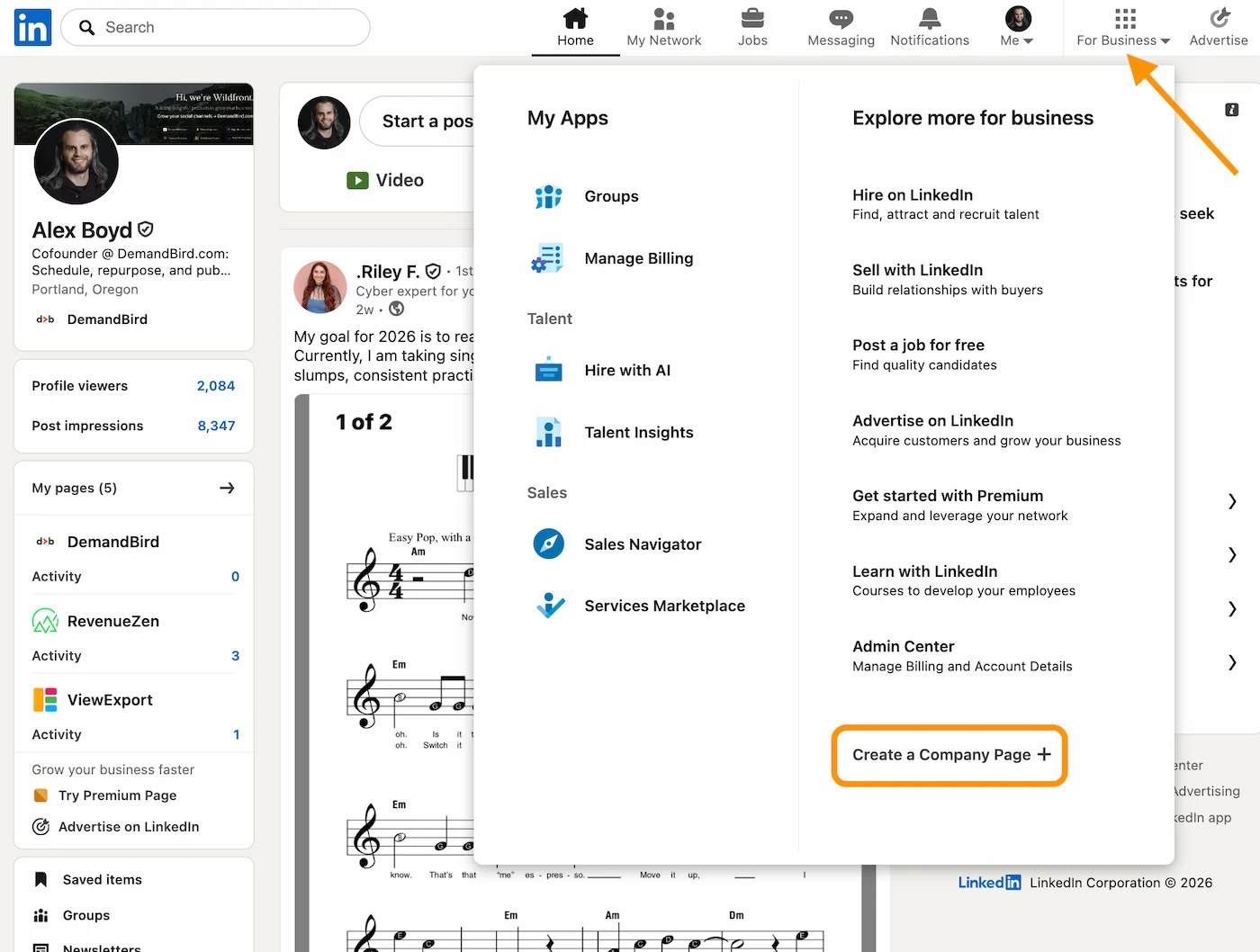
Step 1: Navigate to "Create a Company Page"
Log into your personal profile. From the homepage, hover over the "For Business" menu in the top right and select "Create a Company Page." That's your entry point.
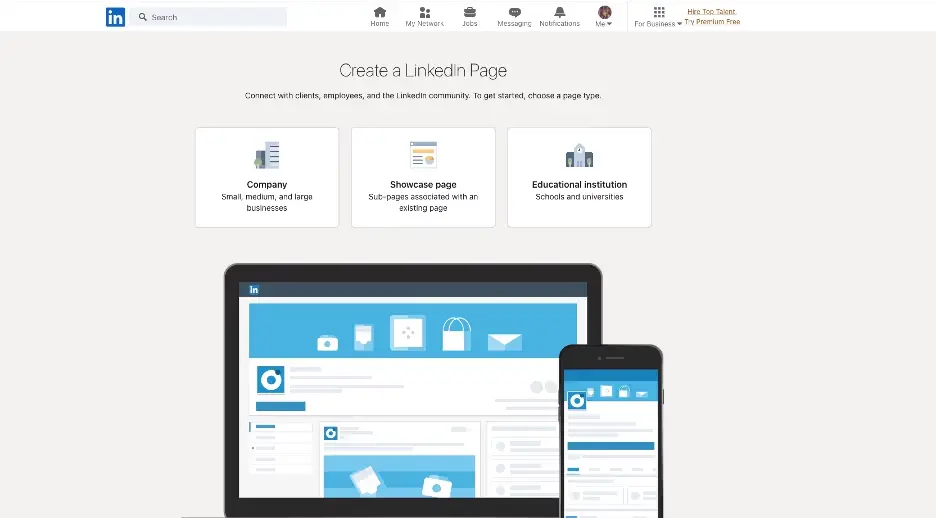
Step 2: Select your page type
LinkedIn asks what type of page you're creating. The options are Company, Showcase Page (for a sub-brand or product line), or Educational Institution. For a standard business page, pick "Company."
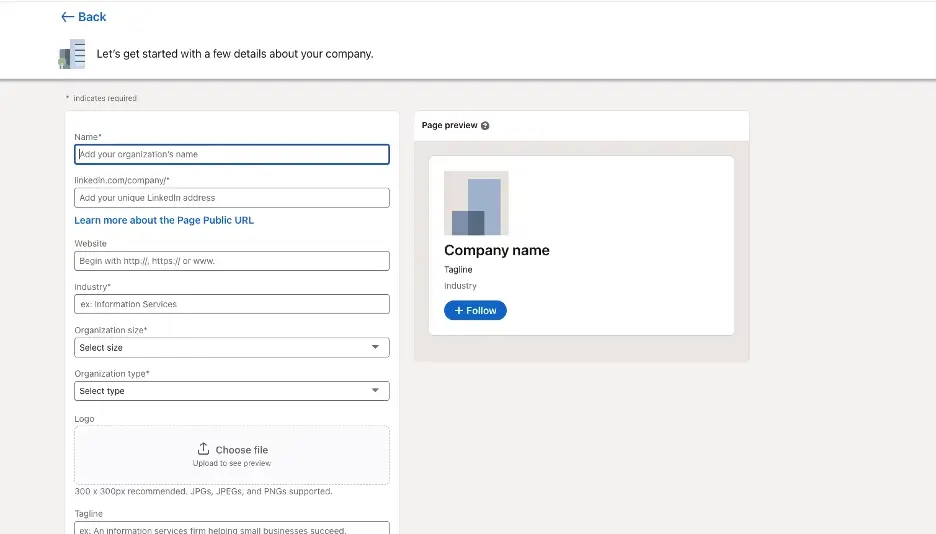
Step 3: Fill in your company details
Enter your company name, LinkedIn public URL, website, industry, company size, and company type. Upload your logo here: it becomes the profile image for the page and shows up next to every post you publish.
Step 4: Click "Create Page"
Review your details and click Create Page. LinkedIn generates your page right away.
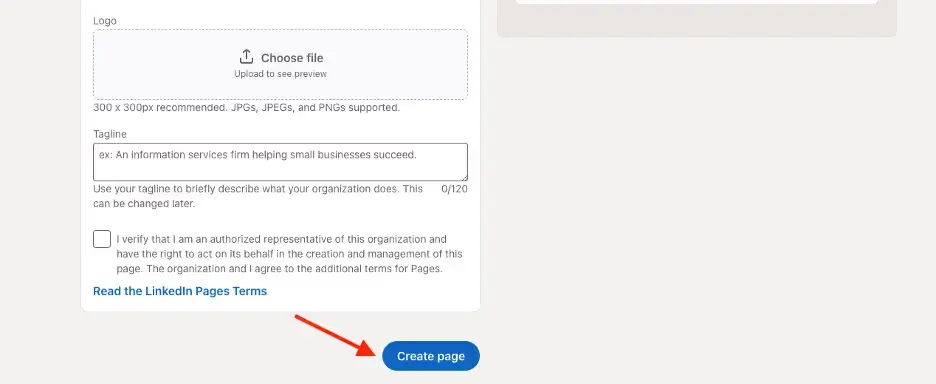
Step 5: Start building your page
After creation, LinkedIn prompts you to click "Start building your page" and fill in the rest: your tagline, description, cover image, and first post. Don't skip this. A page with no description or cover image looks abandoned and won't convert visitors into followers. The optimization section below covers what makes these elements actually work.
LinkedIn Company Page Optimization Tips
Setup gets your page live. These nine practices are what determine whether it actually performs.
1. Write a company description that earns attention
Your company description is the first thing a visitor reads. Most are written for the company itself: mission-heavy, jargon-loaded, and not especially useful to a potential customer or candidate trying to figure out if you're relevant to them.
Write it for the reader instead. Be specific about what you do, who you serve, and what outcome you create. A short, direct description that speaks to someone's actual interests will beat a long values statement every time.
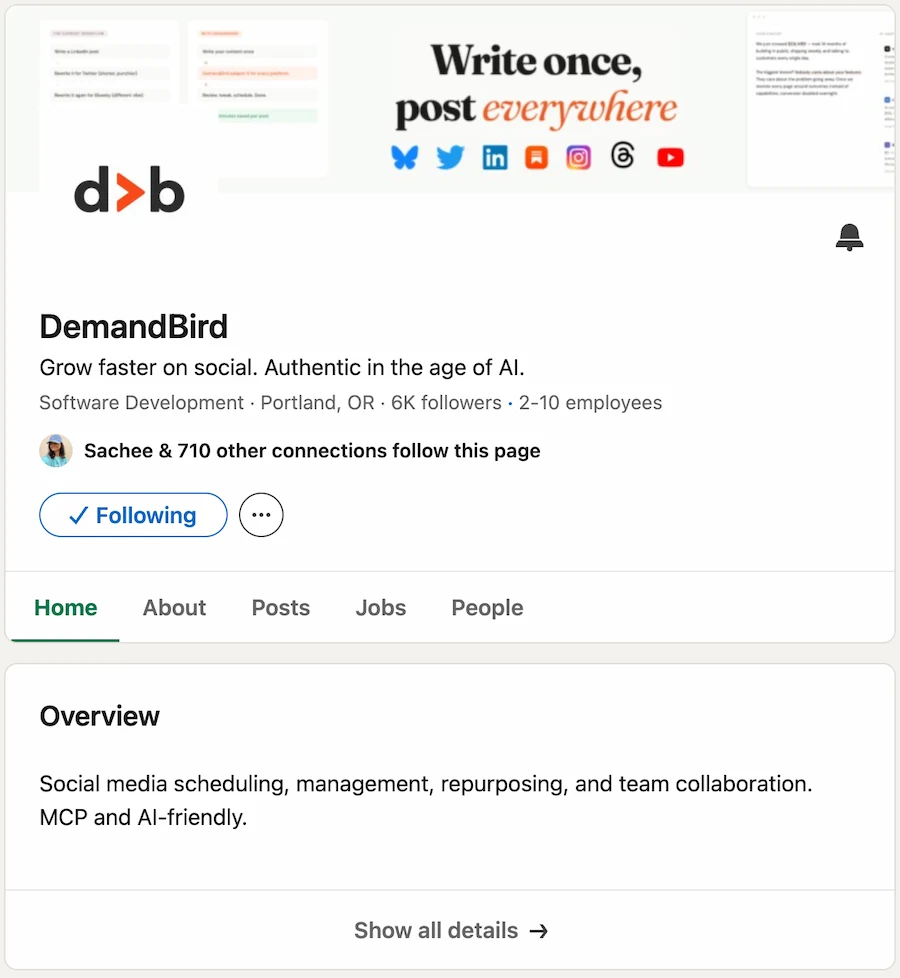
A few things worth keeping in mind as you write it:
- Lead with what you do, not your founding story or company values.
- Say who you help. The more specific, the better.
- Include keywords your audience actually searches for. LinkedIn's internal search uses your description to surface your page.
- Add a call-to-action. Where should someone go next?
2. Use high-quality, up-to-date visuals
Your profile image (logo) and cover photo are the first visual signals visitors get about your brand. A blurry logo or a stock-photo cover image signals that nobody's tending the page. It doesn't take long to get this right; just make sure your visuals match your current brand, and update them when the brand changes.
On dimensions: LinkedIn recommends 1:1 for the logo (minimum 300 × 300px) and 1.91:1 for the cover image. For posts, the standard is 1200 × 627px for link previews and images.
3. Post consistently
After setup, the most common mistake is posting sporadically. Followers who see nothing from a page for weeks stop expecting anything, and eventually they just ignore it or unfollow.
Aim for at least once a week to stay visible. If you're trying to grow, most brands that actually gain followers consistently are posting three to five times per week. A LinkedIn scheduling tool makes that cadence easier to maintain without it taking over your week. Track your engagement metrics after a few months and adjust, but don't let consistency slip while you're figuring out what works.
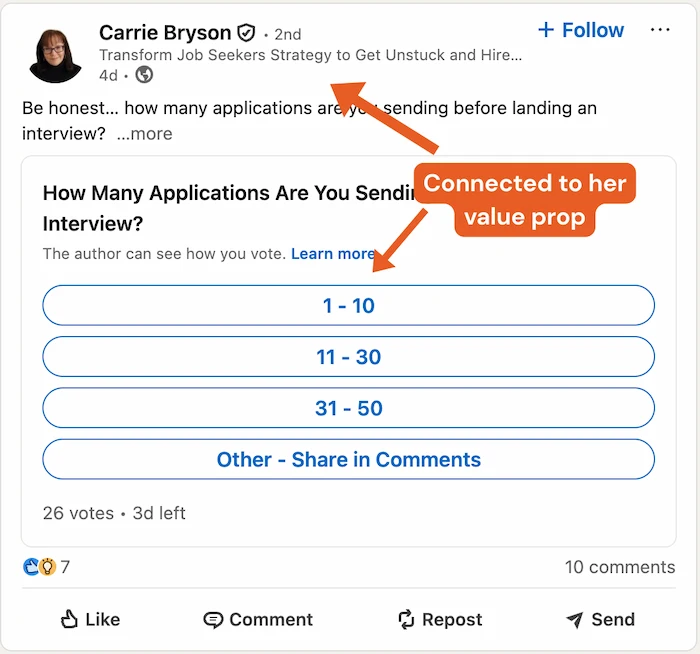
4. Keep posts short, specific, and direct
Company page posts that perform tend to be concise and get to the point fast. Long preamble before the actual content is a reliable way to lose people before they've read anything worth reading.
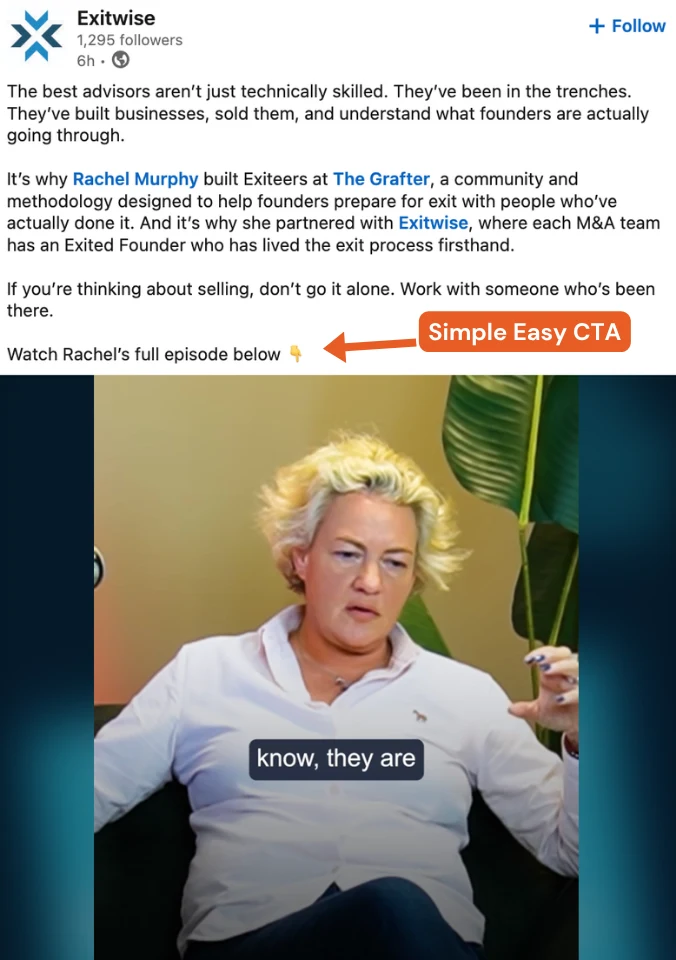
Specific numbers, concrete examples, and a clear call-to-action at the end all make it more likely someone does something after reading. And visuals (images or short video) help stop the scroll in the first place.
5. Engage as your company
LinkedIn lets admins comment, like, and share content as the company rather than as their personal profile. Use it. Commenting on relevant posts from executives, industry voices, and potential partners puts your brand in front of audiences it wouldn't reach otherwise.
You can also reply to comments on your own posts as the Company Page. It increases engagement on individual posts and signals to followers that someone's actually home.
One thing to avoid: don't automate this. Automated commenting or liking as a Company Page is detectable, feels hollow, and leaves a bad impression on exactly the people you're trying to build relationships with. Do it manually, selectively, and only when you have something genuine to add.
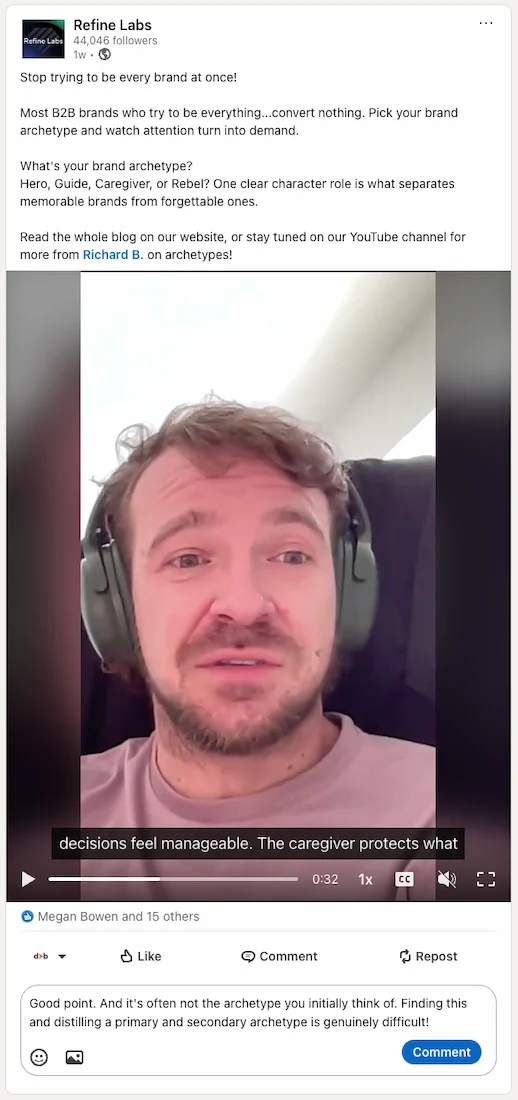
6. Involve your employees
This is the single biggest thing most companies aren't doing well. When employees follow the Company Page, engage with its posts, and share content to their personal networks, reach multiplies. Personal profiles get far better organic reach on LinkedIn than Company Pages; employee activity is your most effective amplifier.
Ask your team to add the company to their personal profiles, follow the page, and engage with posts they actually find relevant. You don't need everyone posting every day. Even a handful of active employees sharing the occasional post can extend reach well beyond the page's own follower count.
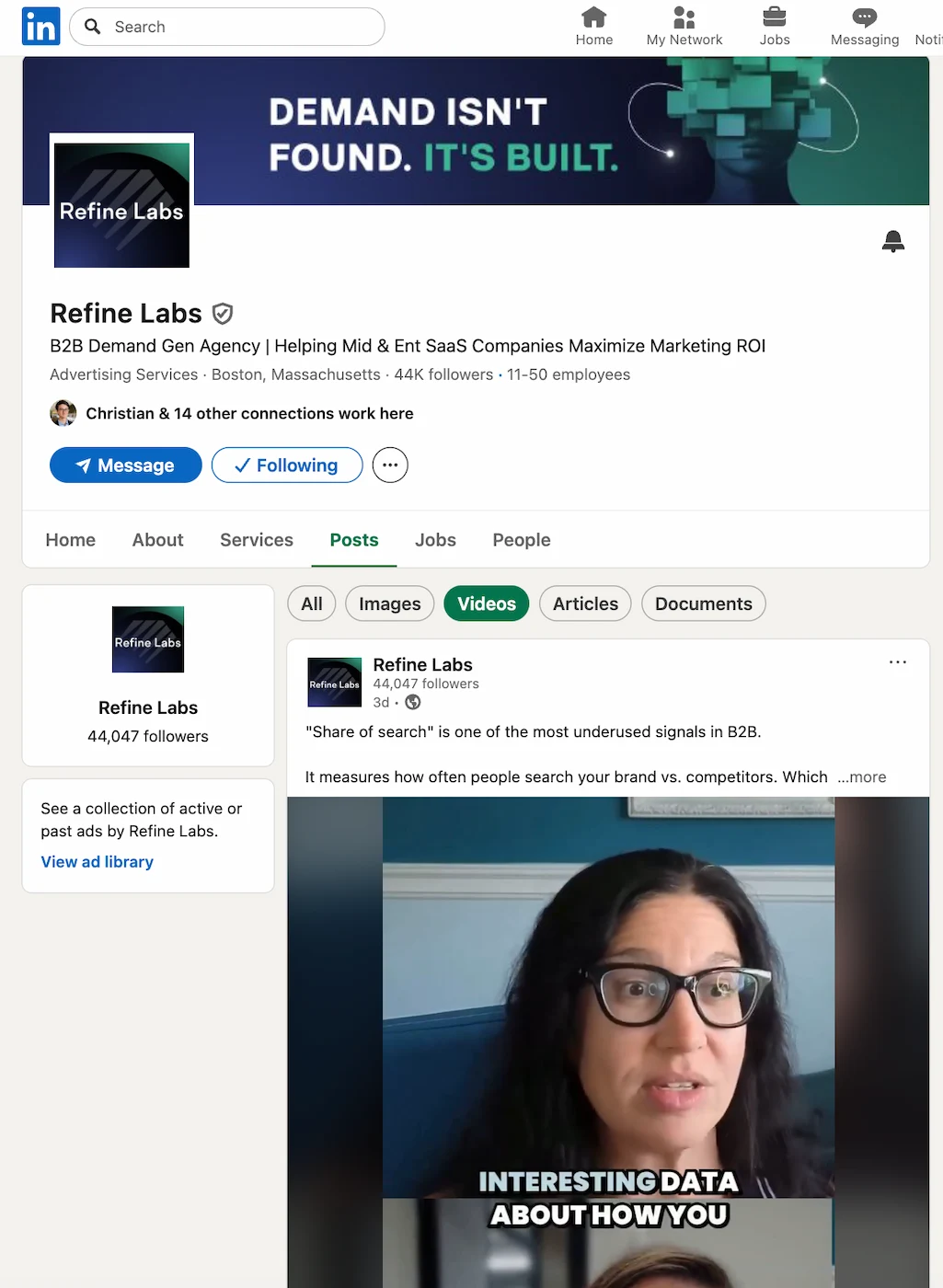
7. Network and collaborate with other pages
LinkedIn is built for professional networking, and Company Pages can participate in that too. Mentioning partners, collaborators, or clients in relevant posts tags their pages and often prompts reshares. Engaging with content from complementary businesses or industry voices builds visibility in networks adjacent to your own.
This isn't about reciprocal promotion. It's about showing up authentically in conversations where your brand belongs. The pages that build credibility fastest are the ones consistently adding something useful to discussions that are already happening.
8. Skip the hashtags (mostly)
Hashtags on LinkedIn are mostly not worth your time. As of 2024, LinkedIn's algorithm uses semantic topic signals rather than hashtag matching to decide what to show to whom. They don't meaningfully expand reach, and a row of them at the bottom of a post can make it look like it was written by a bot.
If you want to use them, keep it to one or two per post and pick ones specific to your industry. But don't expect them to move anything meaningful.
9. Promote your best content
LinkedIn's paid promotion (Sponsored Content) lets you boost organic posts to audiences beyond your existing followers. Not every post is worth promoting, but your highest-performing organic content (posts that already have strong engagement) is a reasonable place to start. You're amplifying something that's already proven it resonates, rather than spending budget on an untested idea.
10 LinkedIn Company Page Post Ideas
Knowing the optimization principles is one thing. Having a reliable bank of content ideas is another. These ten formats consistently work well for Company Pages across different industries. For a broader look at what performs on LinkedIn overall, see the LinkedIn post types guide.
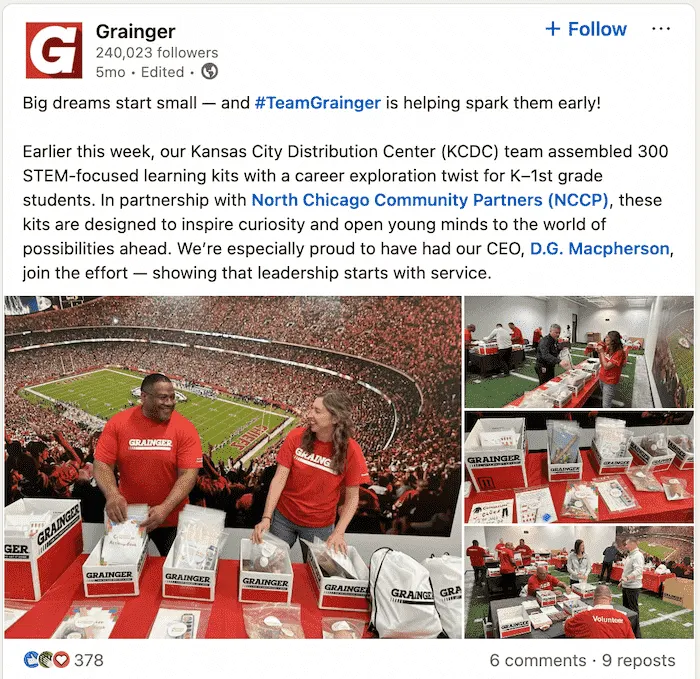
1. Showcasing company culture
Content that shows how the organization actually operates (team events, day-to-day moments, the people doing the work) builds the kind of familiarity that makes followers feel connected rather than just informed. Realness matters more than polish here. An unscripted moment will outperform a staged one nearly every time.

2. Employee spotlights
Put a face on the organization by profiling individual team members: what they do, what they've built, what they've learned. The featured person almost always reshares it, which pushes the post into their own network without any extra effort on your part.
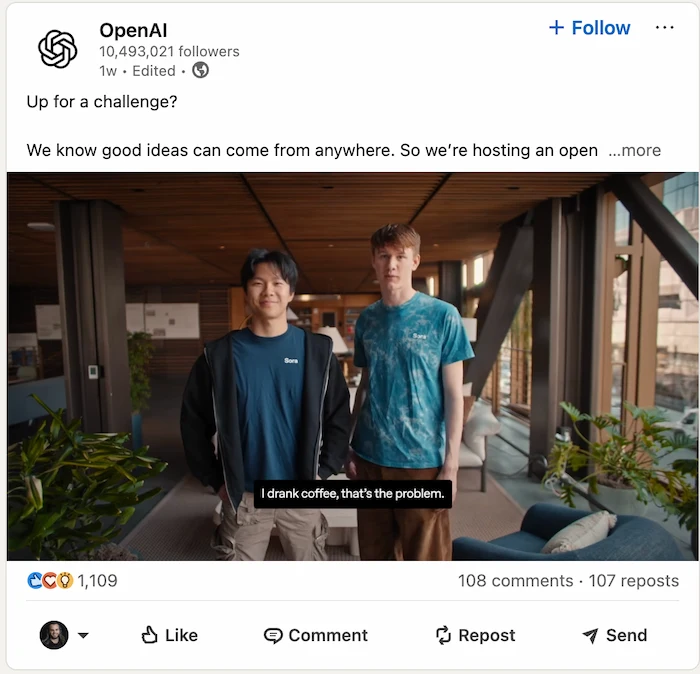
3. Industry insights and trends
Share analysis, original data, or a real perspective on what's happening in your industry. This is the format that builds your brand's reputation as a credible voice, not just a company selling something. Articles, original research, and expert commentary all work well here.
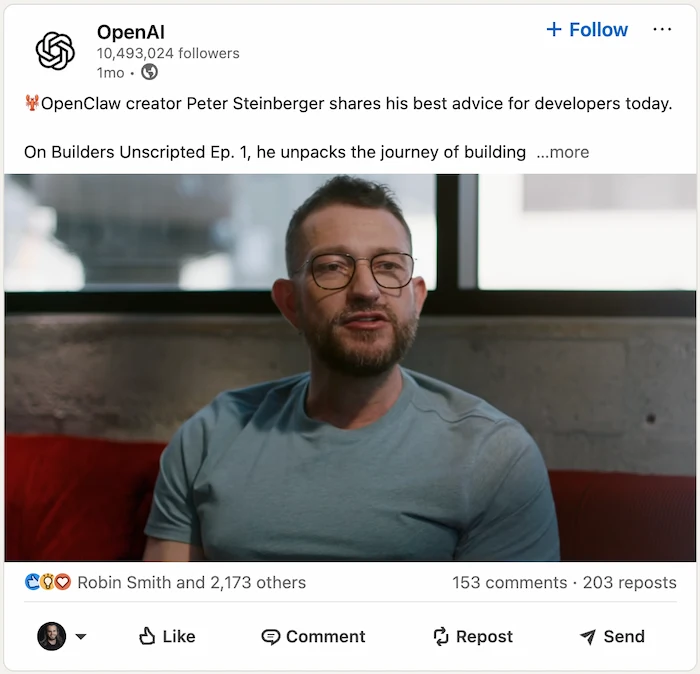
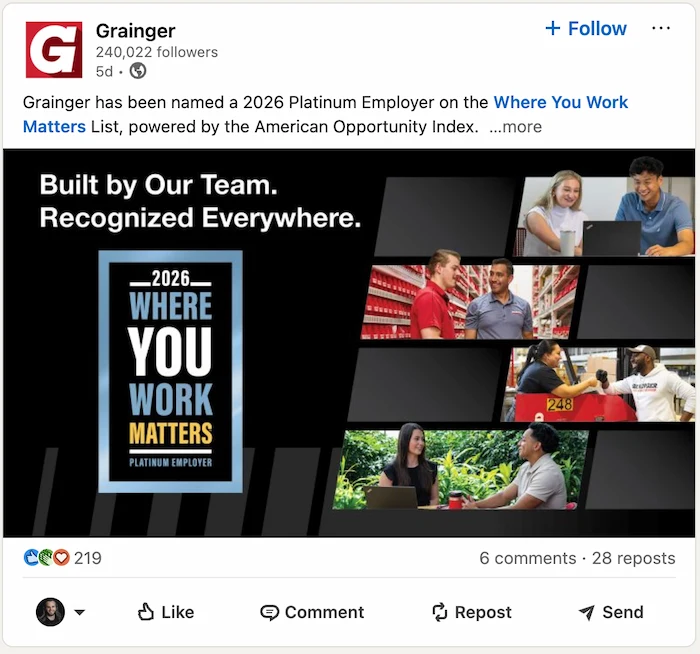
4. Celebrating milestones
Company anniversaries, product launches, funding rounds, new office openings, major customer wins: all worth sharing. Celebratory posts tend to get higher engagement because they invite people to share in something positive. And they give employees a natural reason to comment and reshare.
5. Customer success stories
Testimonials, case studies, and before-and-after results are among the most commercially useful content a Company Page can publish. Beyond credibility, they give potential buyers a concrete picture of what working with you produces, not just what you promise.
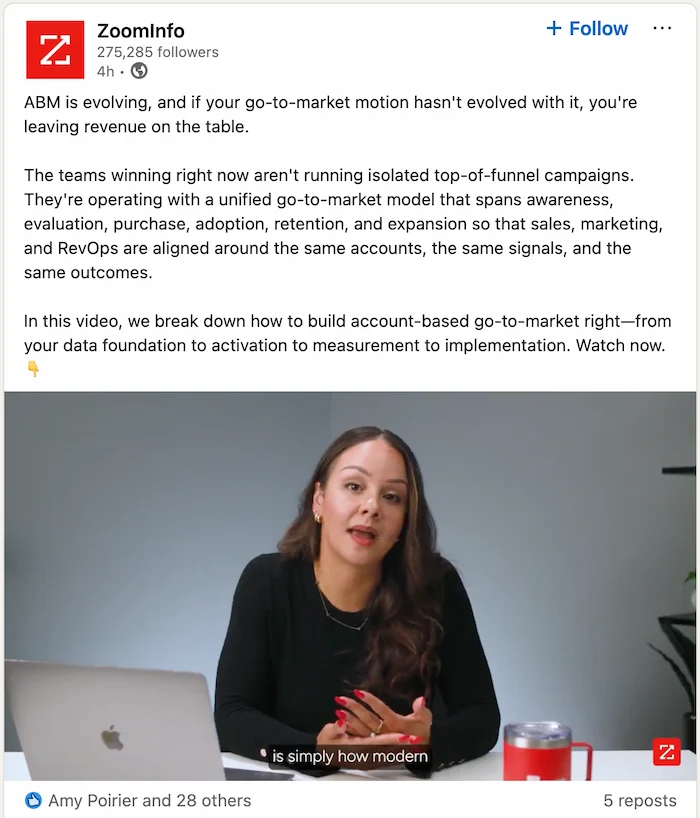
6. Educational content
Practical guides, frameworks, and explainers connected to your product or service category demonstrate expertise while providing real value. Content that actually helps people tends to get saved, which extends reach beyond your existing follower base.
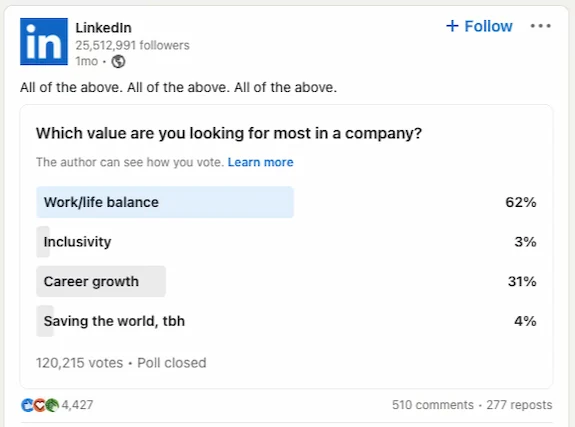
7. Thought-provoking questions
Polls and open-ended questions drive participation directly. Comments and votes surface in followers' connections' feeds, expanding reach without any ad spend. What matters most is asking something people genuinely disagree about or care to answer. A question with an obvious answer gets predictable results.
8. Industry events and webinars
Posts about conferences, webinars, or live sessions do practical work: they drive registrations and demonstrate that you're an active participant in your field, not just a company with a logo. They're also one of the few post types that give followers a concrete action to take.
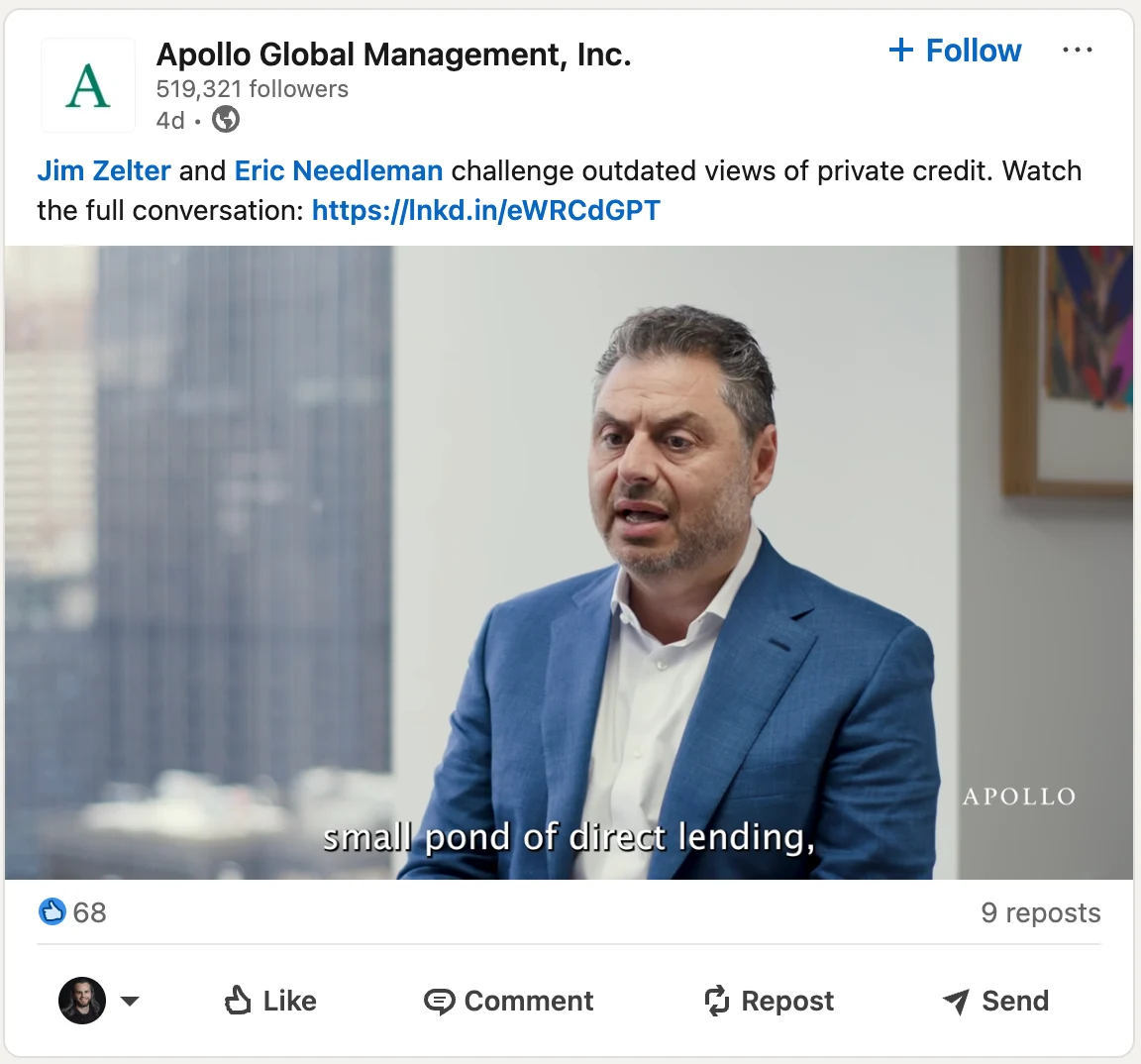
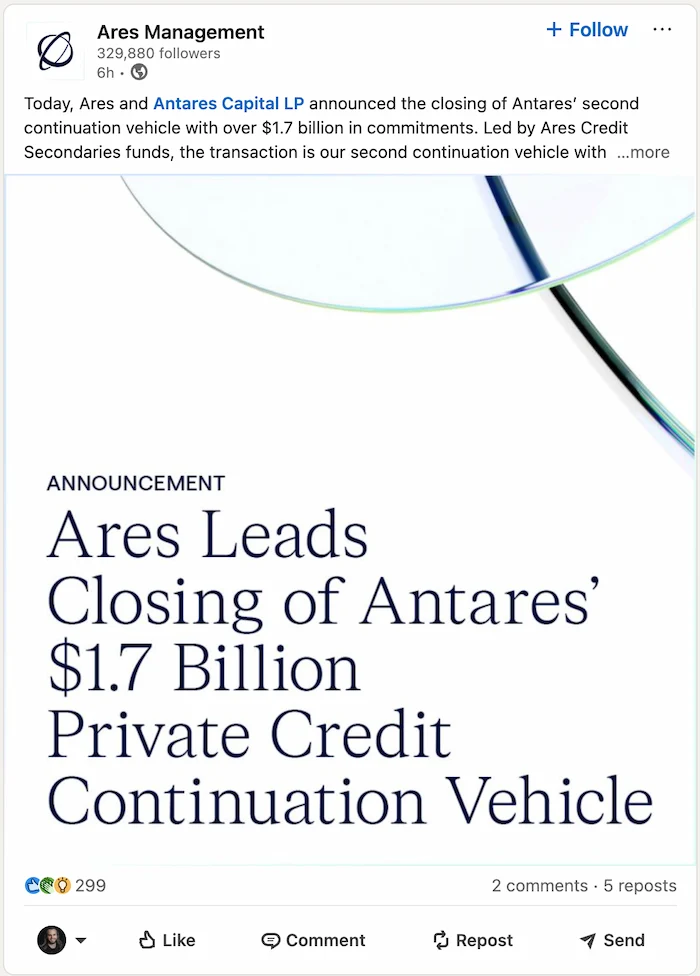
9. Company news and updates
Hires, product launches, partnerships, office openings: regular updates keep followers oriented on where the company is headed. Long-term followers engage because they're invested; new visitors use these posts to quickly assess whether you're worth following. Either way, steady updates build the kind of familiarity that compounds over time.
10. Video content
Video on LinkedIn is more complicated than most guides suggest. LinkedIn's algorithm downgraded native video reach in late 2024, and native video now typically gets around 30% less reach than a comparable text post. That's the opposite of what a lot of outdated posts still claim.
That said, video isn't without value on a Company Page. Watch time is a meaningful signal to LinkedIn's algorithm, and well-made video builds trust and brand presence that text can't replicate. Formats that tend to hold attention: a founder walkthrough of a new feature, a quick team Q&A, or a 60-second look at how something gets made. Just don't measure success by unique view count. Track watch time and profile visits; those are the numbers that actually tell you something.

Why Your Business Needs a LinkedIn Company Page
LinkedIn is the largest professional networking platform in the world. If your business is in B2B, professional services, or any market where buyers and candidates research companies before engaging, a Company Page isn't optional: it's infrastructure.
Beyond just having a presence, here's where a well-managed page actually creates value:
It's good for lead gen
A Company Page gives your business a place to publish content where your buyers are already paying attention. Professional intent on LinkedIn is high: people aren't passively scrolling; they're actively consuming content that helps them make decisions. A page that publishes consistently creates a natural path for potential buyers to find you, follow you, and eventually reach out.
LinkedIn's paid tools (Sponsored Content, Lead Gen Forms, LinkedIn Ads) are integrated directly with Company Pages. So a strong organic foundation makes your paid strategy more effective too.
It helps networking and visibility
Connecting with other companies, commenting on industry conversations, and sharing relevant content all build your page's organic visibility. Each interaction with another page's content can surface your brand to audiences you haven't specifically targeted. Over time, that kind of consistent activity builds the ambient awareness that shortens sales cycles and makes cold outreach warmer.
Necessary for recruiting
LinkedIn is where most professional hiring happens. A Company Page is usually the first place candidates go to figure out if a company is somewhere they'd actually want to work. A page that shows culture, celebrates the team, and communicates values does real recruiting work before a job listing is ever viewed. The culture posts and employee spotlights described above serve a dual purpose: they attract both customers and candidates.
Supports thought leadership
Publishing original analysis, sharing expert perspectives, and showing up consistently in industry conversations positions your company as a credible authority. That matters because buyers increasingly choose vendors based on demonstrated expertise and point of view, not just product features. A Company Page that's been publishing useful, intelligent content for two years is simply easier to trust than one that launched last month.
Consistency is what makes all of this compound. A regular publishing cadence (even a modest one) beats sporadic bursts of great content. Use LinkedIn's analytics to understand what resonates, and let the data shape your content mix over time.
FAQ
Yes. LinkedIn requires a personal profile in good standing before you can create a Company Page. Your personal account becomes the page admin by default, though you can add other admins after creation.
At least once a week to stay visible. Most company pages that see real follower growth are publishing three to five times per week. Cadence matters more than volume; showing up reliably is what compounds over time.
Yes, in two ways. LinkedIn Company Pages rank in Google for branded searches, so your page often shows up alongside your website. And the keywords in your company description and posts help LinkedIn's internal search surface your page to people looking for companies in your category.
A personal profile represents an individual and is where organic reach actually happens on LinkedIn. A Company Page represents an organization, has analytics and ad capabilities, and is better for brand awareness, recruiting, and showcasing products. Most B2B companies need both: the page for legitimacy, the team's personal profiles for real reach. See the full breakdown in the personal profile vs. Company Page guide.
Consistent posting is the baseline. Beyond that, get your employees involved: when they follow and engage with your page, it shows up in front of their networks. Optimize your company description with keywords buyers actually search for so your page surfaces in LinkedIn search. And mentioning your Company Page in email signatures, your website footer, and other materials builds steady follower growth over time.
Manage your LinkedIn Company Page content with DemandBird
Schedule posts, track analytics, and keep your company page active without the manual effort.
Start Free Trial