Two places to use it
The studio at Images in the app, for generating something on its own.
Inside Compose, via Generate with AI on the image picker, for making a picture for the post you are already writing. The overlay seeds the prompt box from the opening lines of your draft, so you usually only have to edit rather than start from nothing.
Both are the same generator with the same allowance. Anything you make in one shows up in the other's history.
Asking for an image
Describe what the picture should show, in a sentence. Generation takes ten to thirty seconds; the page keeps working while it runs and fills in when the image lands.
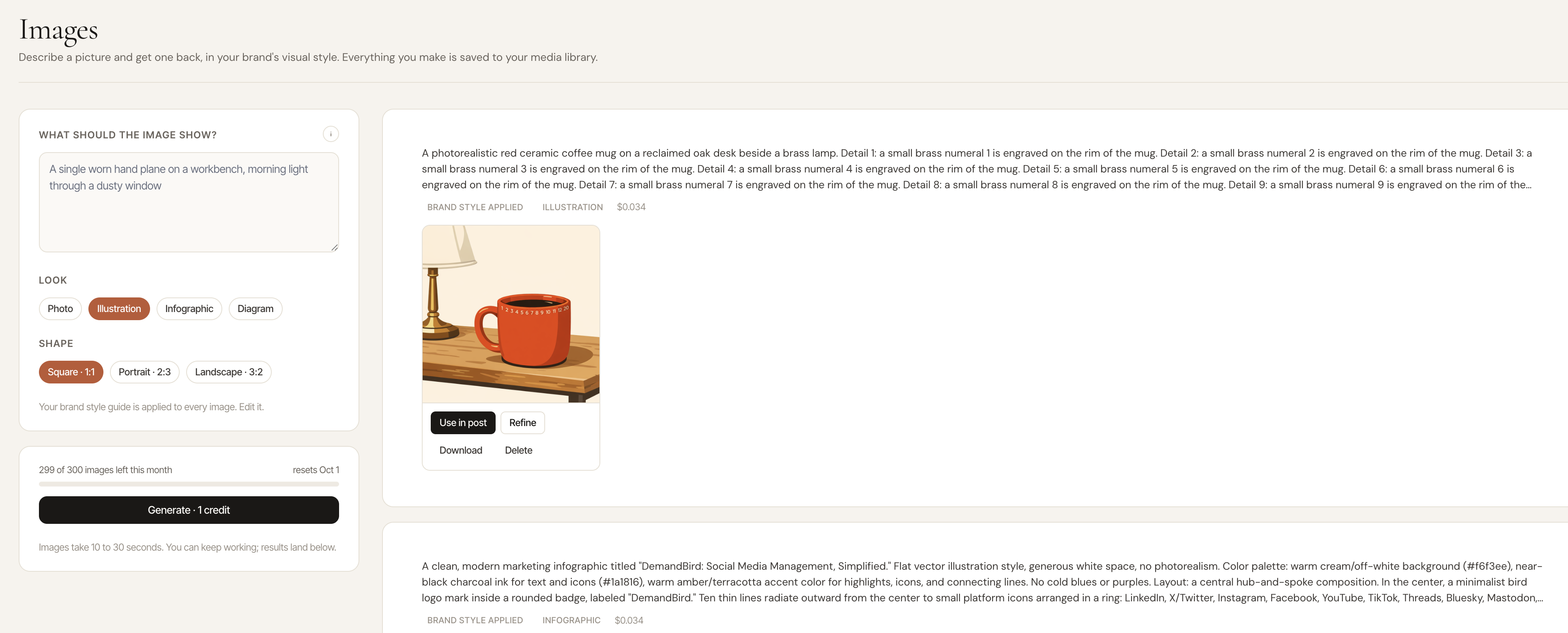
Refine brings back a run's prompt, style and size so you can tweak it and go again. It costs nothing until you press Generate. Long prompts are kept in full: only the first 1,500 characters shape the image, and Refine gives you the whole prompt back, not a shortened copy.
Your brand kit
Your workspace's brand kit is applied on top of whatever you type, so you do not need to restate colors or style in every prompt. Set it at Settings → Brand kit. The kit has:
- An accent color
- A font pairing
- A photo and illustration look (warm photo, flat graphic, line drawing, soft 3D)
- An Anything else box, for the standing instructions you do not want to repeat: no stock-photo handshakes, lots of negative space, no text in the image
The kit belongs to one workspace, so each client of an agency gets its own.
The studio's Brand style panel shows exactly what is being applied and which workspace it came from, with a link to edit the kit.
Credits
Image generation has its own monthly allowance, counted in images, separate from the four AI allowances. Drafting a post and generating a picture do not compete for the same budget.
| Plan | Images per month |
|---|---|
| Pro | 50 |
| Business | 150 |
| Agency | 400 |
Per account, not per user and not per workspace — an agency on one bill has one pool and does not have to divide it between clients.
Credits reset at the start of each calendar month and do not roll over. A generation that fails does not consume one.
When you run out
You get told which day your credits reset, and the generate button stops working until then. Nothing else in the app is affected, and images you have already generated stay where they are.
A few other messages you might see:
- "That's a lot of images at once." A short burst limit. Wait a minute.
- "That's a lot of images for one day. You can make more tomorrow." A daily limit on top of the monthly one. It resets the next day.
- "Temporarily paused." A global safety limit on our side, not anything about your account. Try again shortly.
- "Your subscription isn't active." Generation is off while a subscription is past due or cancelled. See Plans & billing.
Where images go
Everything you generate lands in your media library, so you can reuse it on a later post without spending another credit. The studio's own view shows the most recent two dozen runs; older ones are still in the library.
Discarding a generation removes it from the studio history. It does not refund the credit — the image was already made.
Using one on a post
From the studio, Use in post creates a draft with the image attached. From the Compose overlay, choosing the image attaches it to the post you are writing.
Either way it becomes an ordinary attachment: alt text, cropping and per-platform sizing all work the same as an uploaded image.
Availability
Every plan, at the credit levels above.
This is a newer feature and is rolled out account by account. If Images is not in your navigation yet, that is why, not a plan limit — ask us and we will turn it on.